




Multilingual Translation Broadcast System: Standard Edition and Lite Edition
J-SERVER Guidance for On-Campus Use
Disaster Prevention
Want to translate easily?
Request Narration
Online environment
English
Simplified Chinese
Korean
Reads text aloud with natural, native-level voice quality
“I want to start multilingual broadcasts right away and easily!” In response to requests like this, we’ve developed a Lite Edition focused solely on the “predefined message broadcast” feature.
The Standard Edition, which also includes automatic multilingual translation, fulfills all your needs!
We also offer an optional service where our native-speaking specialists create translation scripts for you.
The Standard Edition, which also includes automatic multilingual translation, fulfills all your needs!
We also offer an optional service where our native-speaking specialists create translation scripts for you.
Recommended for
- Instant Solutions to Your Problems!
- When broadcasting in multiple languages, there are various challenges—such as the cost and time required for translation and audio recording, as well as arranging narrators and studio space.
J-SERVER Guidance solves these problems instantly! You can start multilingual broadcasting quickly and easily. - J-SERVER Guidance: Versatile for a Wide Range of Scenarios
- The number of international visitors to Japan continues to rise. As the types of facilities they visit, the places they go, and their modes of transportation become increasingly diverse, the demand for multilingual broadcasting is growing everywhere.
J-SERVER Guidance allows you to customize broadcast scripts to suit specific usage scenarios, ensuring it meets the needs of every customer.
Introduction Video
“J-SERVER Guidance,” a multilingual automatic translation and text-to-speech system
Text-to-Speech Samples
You can listen to the industry-leading sample audio included in J-server Guidance.
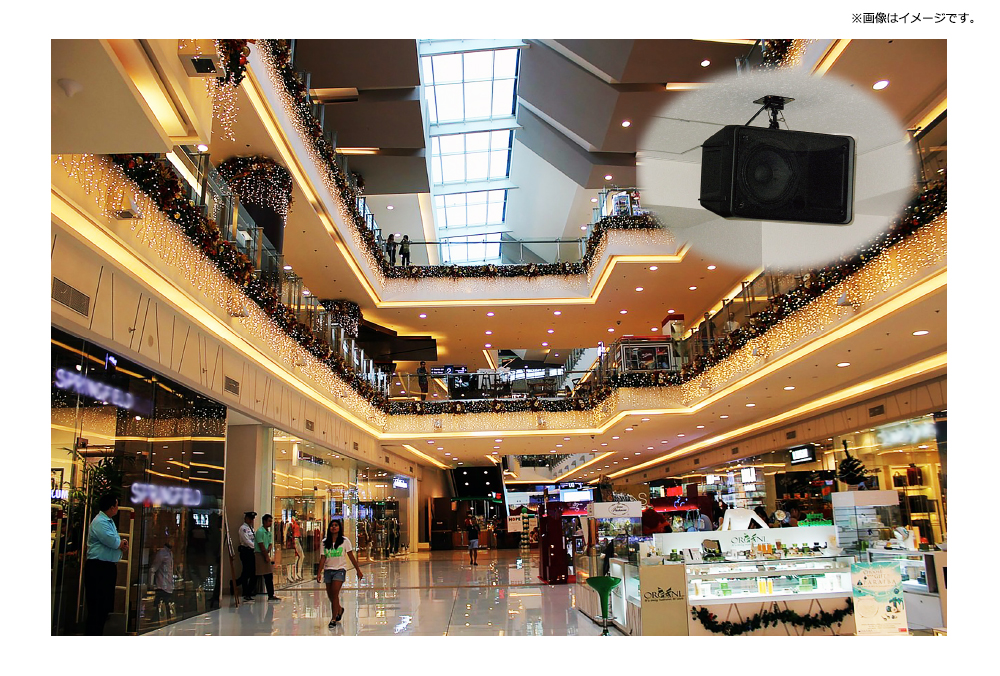
Our services are widely used in a variety of settings, including disaster prevention, public transportation, and in-building announcements at commercial facilities.
Features and Benefits
-
High-quality, native-level audioBy utilizing “HOYA Corporation’s ReadSpeaker,” the industry’s leading text-to-speech engine, any text is pronounced clearly. Furthermore, rather than reading text in a flat, monotonous tone like traditional text-to-speech systems, it achieves natural intonation that closely resembles a human voice.
-
Clear sound quality ideal for in-building announcementsSpeakers for Japanese, English (U.S./U.K.), Chinese, and Korean are available. With options ranging from bright to calm voices, as well as male and female voices, the system can be used in a wide variety of scenarios as a means of conveying information.
-
Versatile for All ApplicationsIf you want to change part of a predefined message, simply select it from the drop-down menu. There’s no need to register numerous similar announcements that differ only in time or location. The text will be automatically translated into the corresponding foreign language based on the selected Japanese text.
“We need to make an urgent announcement, but we don’t have time to arrange a narrator…”
Even in situations like this, you can rely on J-SERVER Guidance. You can freely enter text and have it automatically translated on the spot, allowing you to respond immediately to urgent announcements. -
High-Precision Automatic Translation EngineKoden Corporation’s translation engine—developed through consistent dedication to improving language processing technology since our founding—ranks among the top in the Japanese industry!
To further improve translation quality, high-performance tools are included as standard features. With specialized terminology dictionaries across multiple fields, user-customizable dictionaries, and translation memories that ensure consistent translations, you can easily boost translation accuracy and workflow efficiency. It is widely used by government agencies, major portal and e-commerce sites, social media platforms, and more.
*Standard Edition only -
Easy Multilingual Broadcasts with Predefined TemplatesSince you can register predefined templates in advance, broadcasting is as simple as a click. Just select Category → Subcategory → Broadcast Text in sequence to easily and quickly broadcast in multiple languages.
-
Real-time Multilingual BroadcastsThe intuitive interface makes it easy even for first-time users! Large category buttons allow for intuitive navigation. You can freely organize your broadcast scripts into categories based on your content, making it very convenient to find the text you need. Simply replace the category icons with your own custom images to create a unique multilingual broadcast menu.
Implementation Cases
We have a proven track record of successful implementations with corporate clients, local governments (including prefectural offices and government-designated cities), and others.
Service Details
Currently, addressing the “language barrier” for the ever-growing number of foreign tourists has become an urgent priority, requiring greater efficiency and convenience in translation work and audio content production. There is a rapidly increasing need for multilingual broadcasts and information provision to break down the “language barrier” in situations such as tourism, shopping, and public transportation.
Implementing J-SERVER Guidance enables you to streamline translation and audio content production. The reduction in time and costs will further expand the range of situations where multilingual support can be utilized.
Implementing J-SERVER Guidance enables you to streamline translation and audio content production. The reduction in time and costs will further expand the range of situations where multilingual support can be utilized.
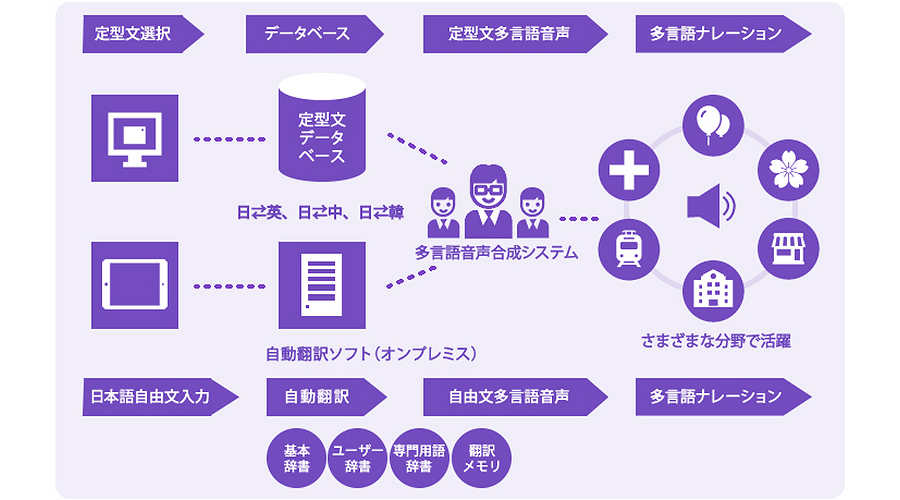
High-Speed, High-Quality Multilingual Narration
*The service details indicated by the single up arrow above apply only to the “Lite Version,” while those indicated by both the up and down arrows apply to the “Standard Version.”
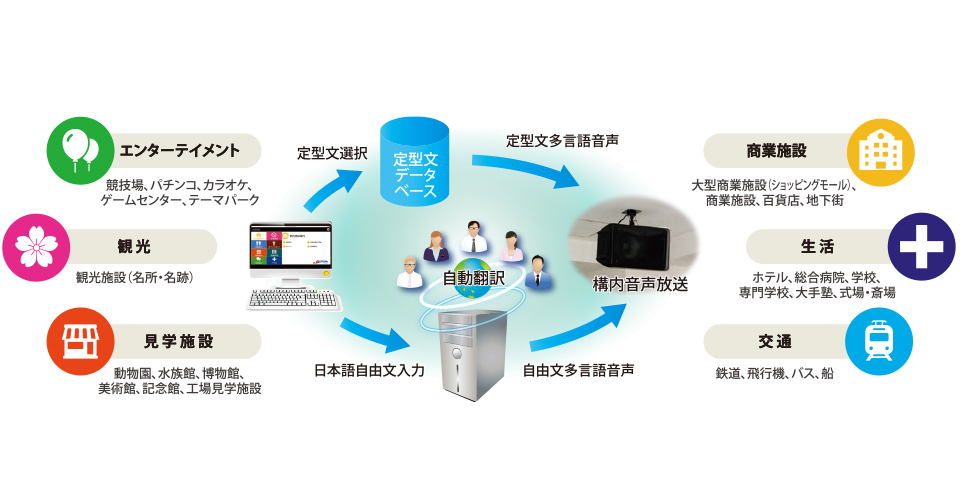
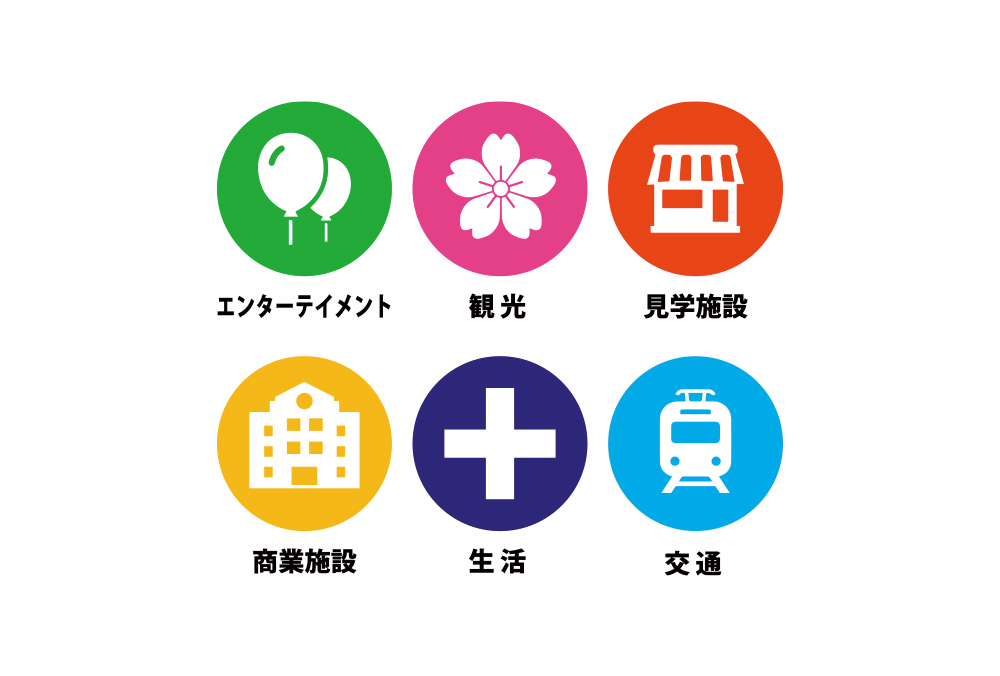
Supported Fields and Use Cases
・Stadiums ・Theme Parks ・Tourist Attractions ・Zoos ・Aquariums
・Museums ・Art Galleries ・Memorial Halls ・Factory Tour Facilities ・Ceremony Halls and Funeral Halls
・Hotels ・General Hospitals ・Schools ・Railways ・Airplanes ・Buses ・Ships
・Large retail complexes (shopping malls)・Department stores・Underground shopping arcades
・Museums ・Art Galleries ・Memorial Halls ・Factory Tour Facilities ・Ceremony Halls and Funeral Halls
・Hotels ・General Hospitals ・Schools ・Railways ・Airplanes ・Buses ・Ships
・Large retail complexes (shopping malls)・Department stores・Underground shopping arcades
Specifications
Feature List
| Item | Overview | Standard | Light | |
|---|---|---|---|---|
| Translation Engine | Automatically translates Japanese into foreign languages. | ◯ | × | |
| Set Phrases | Registration and Broadcast | Broadcasts pre-registered sample sentences. *We will collect the script from the customer during the implementation process. |
◯ | ◯ |
| Fill-in-the-blank Words Add/Edit |
Add or edit options for fill-in-the-blank words. | ◯ | ◯ | |
| Fill-in-the-Blank Words Automatic Translation |
When registering fill-in-the-blank words, Japanese text is automatically translated into a foreign language. | ◯ | × | |
| Free-form Text | Registration and Broadcast | Register and broadcast text you have created yourself. | ◯ | ◯ |
| Free-Form Text Translation | When creating custom text, Japanese is automatically translated into a foreign language. | ◯ | × | |
| Broadcast | Repeat Function | Broadcasts text in the specified language repeatedly. (Specify number of repetitions) |
◯ | ◯ |
| Adjustment Function | Adjusts the speed and pitch of the broadcast. | ◯ | ◯ | |
| Dictionary | Translation Dictionary | Register words (user dictionary) and sentences (translation memory) to use for translation. | ◯ | × |
| Pronunciation Dictionary | Register pronunciation (furigana and stress) for text-to-speech in the dictionary. | ◯ | ◯ | |
| Other | Audio File Creation | Saves audio files of broadcast scripts in WAV format. | ◯ | ◯ |
| Import/ Export |
Import/export registered example sentences in CSV format. | ◯ | ◯ | |
Automatic Translation Feature
| Item | Overview |
|---|---|
|
Translation Engine |
J-SERVER Advance (standalone) |
|
Translation Languages |
English, Chinese (Simplified and Traditional), Korean |
|
Translation Direction |
Japanese-English, Japanese-Chinese, Japanese-Korean |
Text-to-Speech Feature
| Item | Overview |
|---|---|
| Text-to-Speech Software | HOYA Corporation "ReadSpeaker" Text-to-Speech Engine |
| Languages (15 languages) | Japanese English (U.S., U.K.) Chinese (Mandarin, Taiwanese, Cantonese) Korean Thai Spanish (Spain, Mexico) Portuguese (Brazil) French (France, Canada) Italian German |
| Speaker | Male, Female |
| Audio File Format | WAV format |
System Requirements and Specifications
| Item |
Overview |
|---|---|
| OS | Windows 10 (Japanese version) *The latest Service Pack (SP) is required |
| Computer | A computer (PC) equipped with an Intel or Intel-compatible CPU capable of running the above OS properly |
| Memory | 4 GB |
|
HDD |
10 GB of free disk space required during installation; ; 1 GB of free disk space required during operation |
|
Disk drive |
DVD-ROM drive (required only during installation) |
|
Monitor |
Supports a resolution of 1280×1024 (SXGA) or higher |
|
Sound |
Sound playback capabilities compatible with the above OS |
■Important Notice
●The translations provided by this product are generated by machine translation and are not guaranteed to be accurate at all times.
●The voice readings provided by this product are generated by text-to-speech synthesis and are not guaranteed to have correct pronunciation at all times.
●Unauthorized copying or misuse of this product is prohibited.
■This product uses HOYA Corporation’s ReadSpeaker text-to-speech engine. ReadSpeaker is a registered trademark of HOYA Corporation.
■Windows is a registered trademark of Microsoft Corporation in the United States and other countries.
■Other company names and product names used herein are registered trademarks or trademarks of their respective companies.
■The specifications of this product are subject to change without notice for improvement purposes. If you have any questions, please contact your sales representative.
●The translations provided by this product are generated by machine translation and are not guaranteed to be accurate at all times.
●The voice readings provided by this product are generated by text-to-speech synthesis and are not guaranteed to have correct pronunciation at all times.
●Unauthorized copying or misuse of this product is prohibited.
■This product uses HOYA Corporation’s ReadSpeaker text-to-speech engine. ReadSpeaker is a registered trademark of HOYA Corporation.
■Windows is a registered trademark of Microsoft Corporation in the United States and other countries.
■Other company names and product names used herein are registered trademarks or trademarks of their respective companies.
■The specifications of this product are subject to change without notice for improvement purposes. If you have any questions, please contact your sales representative.
Options
We offer a separate optional service in which native-speaking specialists create the translation manuscripts to be registered in this system.
This service ensures greater accuracy in multilingual broadcasting.
Please contact us for more details.
This service ensures greater accuracy in multilingual broadcasting.
Please contact us for more details.
Pricing
This may vary depending on your system environment.
We will provide a quote after consulting with you.
We will provide a quote after consulting with you.
Supported Languages
Translation Languages

English (U.S.)
Chinese (Simplified and Traditional)

Korean

Spain

Portugal
Text-to-Speech Languages
In addition to the six languages listed above, we support nine languages.

Japanese

English (UK)

Cantonese (Hong Kong)

Thai
Spanish (Mexico)

French

French (Canada)

Italian

German
How It Works
Consultation and Quote
Please feel free to contact us for a consultation.
We will carefully listen to your requirements and objectives via phone, email, or in person. After understanding your needs, we will propose the optimal plan for you.
“The system is too complex—I don’t really understand it!” Even if you’re in that situation, please rest assured. We’re happy to consult with you on systems and technical matters, so feel free to reach out. We’ll provide a quote after our consultation.
Pricing varies depending on the number of languages you need and your website’s traffic, among other factors.
We will carefully listen to your requirements and objectives via phone, email, or in person. After understanding your needs, we will propose the optimal plan for you.
“The system is too complex—I don’t really understand it!” Even if you’re in that situation, please rest assured. We’re happy to consult with you on systems and technical matters, so feel free to reach out. We’ll provide a quote after our consultation.
Pricing varies depending on the number of languages you need and your website’s traffic, among other factors.
[Tokyo] 03-6705-5720
[Osaka] 06-6628-8880
Business Hours: 9:00 AM–6:00 PM
Closed on Saturdays, Sundays, and holidays.
Closed on Saturdays, Sundays, and holidays.
Submitting a Purchase Order
Please fill out the necessary details—such as your contact information, desired languages, and intended use—and submit the order form.
Submitting the Configuration Request Form and Setting Up the Automatic Translation Server
Once you submit the setup request form, we will configure the necessary settings on our automated translation server.
Sending Technical Documentation
We will send you the technical documentation required for you to configure the system on your end.
Payment
You will be required to pay the annual usage fee and fees for various paid options, such as specialized terminology dictionaries.
Service Activation
Service activation is possible in as little as 10 business days.
Experience new frontiers in business.
Download
 Product Catalog