



Real-time voice interpretation app
My Interpreter Assist V2
Mobile apps and content
I want to use it for business translation
I want to translate easily
I want to use a translation app
Online environment
Japanese
English
Chinese Simplified
Korean
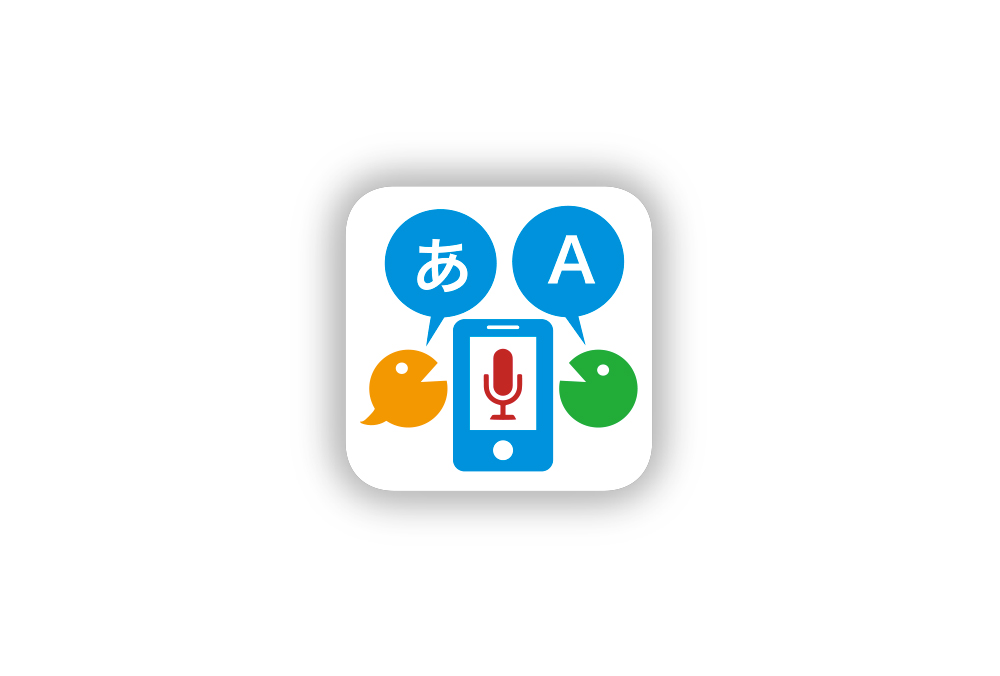
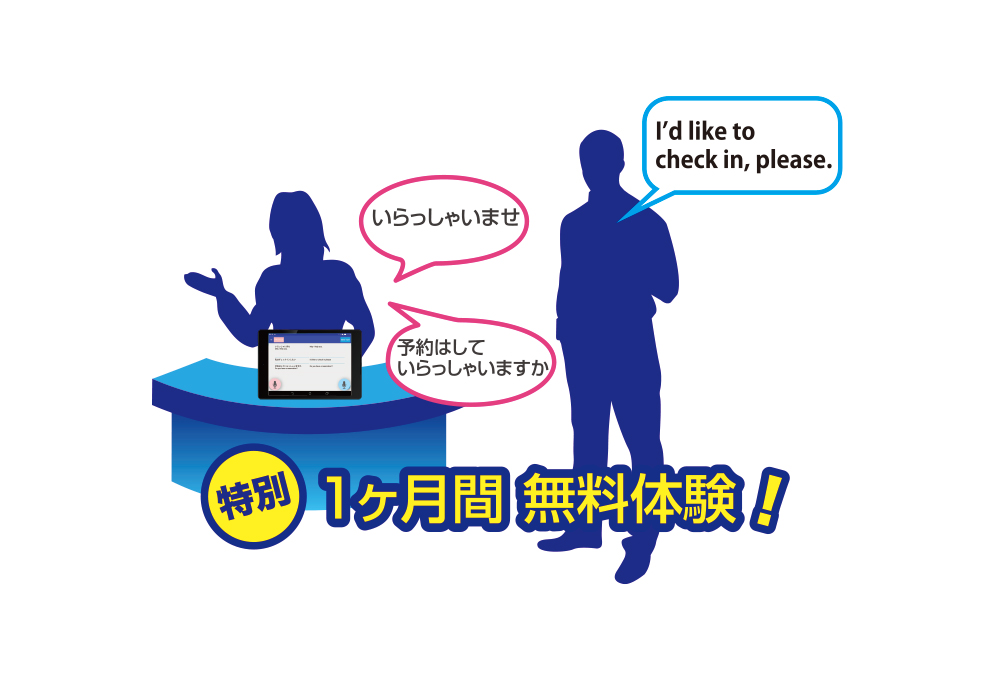
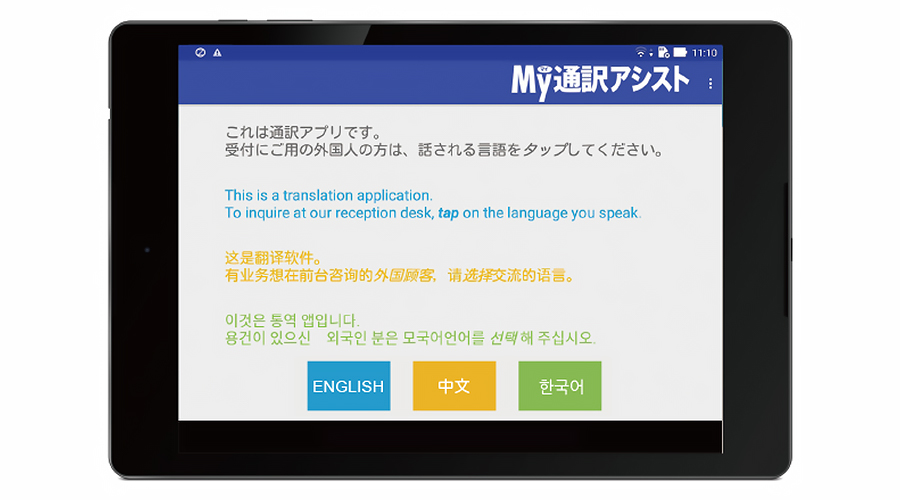
When a foreign customer taps the button for their native language, real-time interpretation starts immediately!
When the app is launched, it displays an announcement for foreign customers and enters standby mode.
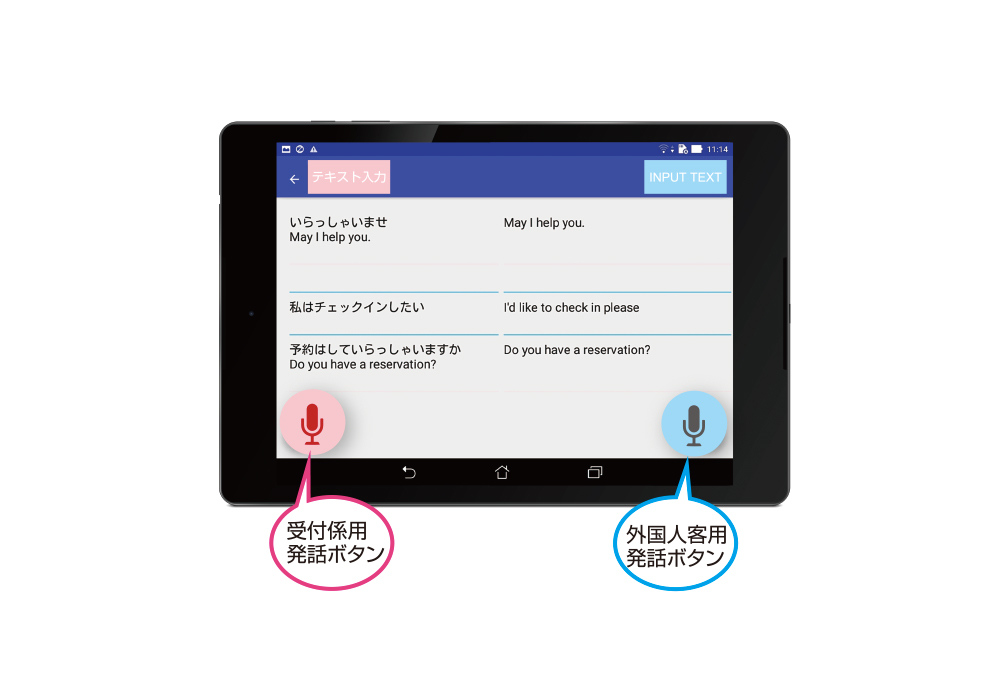
For interpretation, the receptionist and the customer each tap their respective buttons and speak. The app translates and reads the speech aloud in 2-3 seconds.
For interpretation, the receptionist and the customer each tap their respective buttons and speak. The app translates and reads the speech aloud in 2-3 seconds.
Recommended for these users
- For those who are troubled when a foreign customer arrives at a reception desk or store and no interpreter is available
- Tap the button and speak to have your speech automatically translated into a foreign language and read aloud. Conversely, when a foreign customer taps their native language button and speaks, it is instantly translated into Japanese and read aloud.
- For those who want to communicate easily when a hearing-impaired customer arrives at a reception desk or store
- When you tap the button and speak, the app recognizes your voice and displays it as text instantly. In addition to voice input, a text input mode is also available.
Features and Benefits
-
Easy-to-read bilingual editor
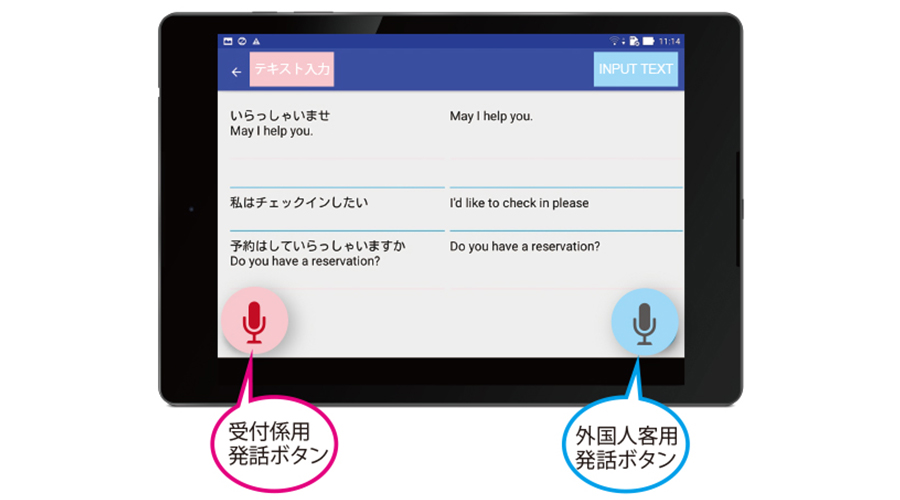 The interpretation results with foreign customers are displayed in a split-screen bilingual editor format, showing text alternately. You can see the flow of the interpretation at a glance. If voice recognition fails due to ambient noise, you can select from multiple displayed candidates or edit the text using the keyboard. You can also save the interpretation history to review it after the interaction.
 -
Android tablet support
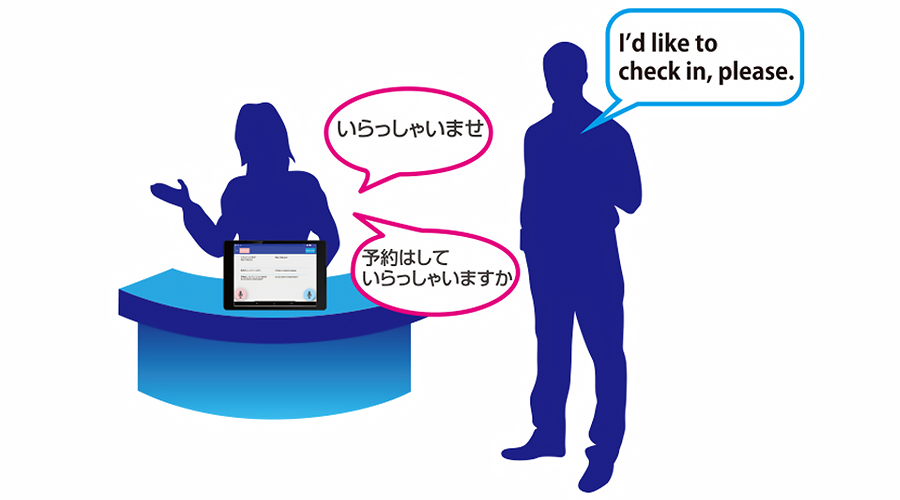 The app is compatible with Android tablets. By default, it can be installed and used on up to three devices. You can also add more devices as an option to install them at each store, location, or department.
 -
Automatic translation in a secure cloud environment!
 Automatic translation is processed by the "J-SERVER" cloud translation server, which operates 24 hours a day, 365 days a year.*1 Furthermore, original and translated texts are sent and received via SSL communication and are not stored in the server environment, ensuring a completely secure environment with no risk of information leakage.
*1 J-SERVER has achieved an uptime of over 99.7% over the past 10 years. -
Improve translation accuracy with the "Online User Dictionary"
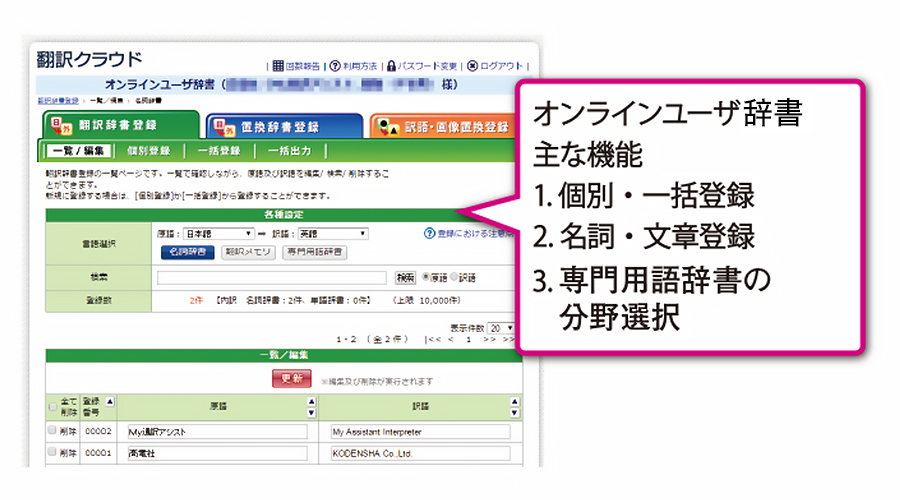 We provide an online user dictionary environment where you can register translations for product or service names and frequently used phrases. By registering proper nouns or specific translation sentences, and selecting specialized terminology dictionaries, you can provide more accurate interpretation for foreign customers tailored to your specific usage scenario.*2
*2 Up to 10,000 words and 5,000 documents can be registered, and up to 88 fields of specialized terminology can be selected. (The number of registered items can be expanded as an option.) -
"Specialized Terminology Dictionary" feature
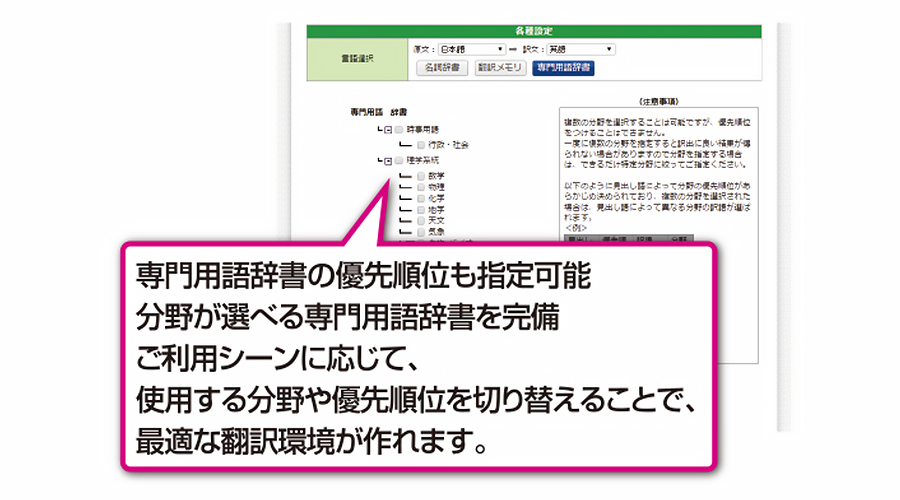 By providing specialized terminology dictionaries for each field, translation accuracy is dramatically improved. You can achieve higher precision interpretation by using selectable specialized terminology dictionaries.
 -
Standard Phrase feature (customizable)
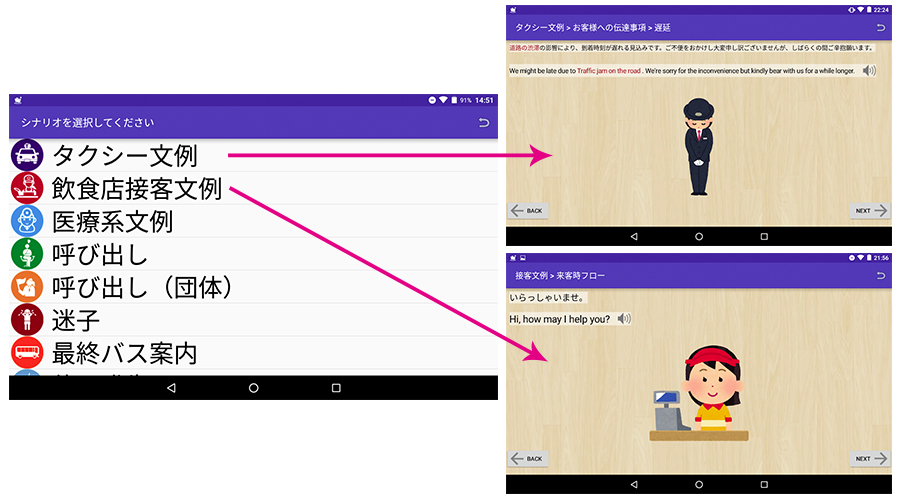 Register bilingual phrase pairs in advance.
From phrases expected to be used frequently to those needed for emergencies, by registering them as standard phrases beforehand, you can convey accurate information to the other party with simple operations. -
Scenario Creation feature (customizable)
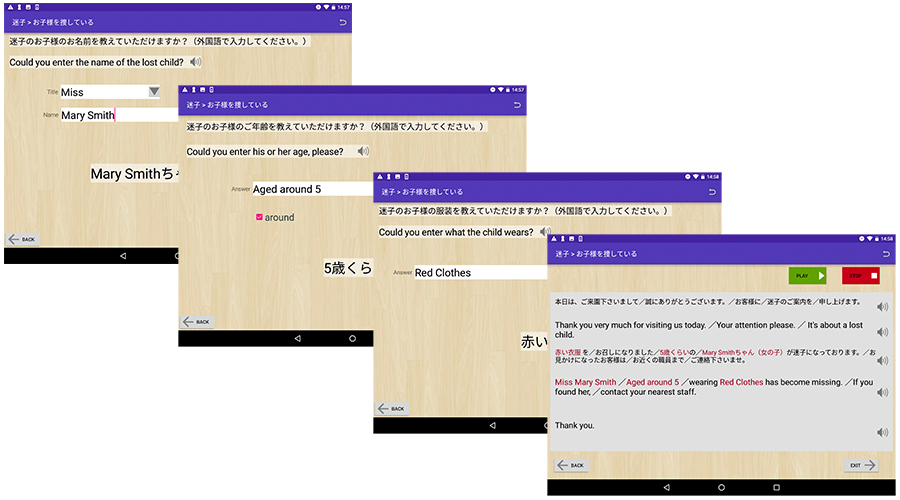 By preparing dialogue scenarios in advance, you can easily obtain answers from the other party.
For example, when looking for a lost foreigner, by asking for their name, gender, age, clothing, etc., a foreign language sentence is ultimately created. It is also possible to connect the tablet to broadcasting equipment and make announcements through the facility's speakers.
Case Studies
We have a proven track record in a wide range of industries and business sectors.
Operating Environment/Specifications
|
Item |
Overview |
|
|---|---|---|
|
OS |
Android OS version 4.0 or higher |
|
[Notes]
・To use this application, your tablet device must be constantly connected to the internet via Wi-Fi or similar.
・To use this application, your tablet device must be constantly connected to the internet via Wi-Fi or similar.
Price
|
Corporate Version |
30,000 yen/month (tax excluded) |
|---|---|
|
Municipal Version |
20,000 yen/month (tax excluded) |
Download
 Product Catalog
Related Products and Services