



The service is operated on our high-security servers.
Furthermore, this cloud service has achieved a 99.97% uptime rate over the past 10 years.
You also don’t have to worry about translation data remaining on the server indefinitely.
- For those who are concerned about the risk of data leaks and cannot use free online translation sites
- Those who want to translate rare languages not supported by standard translation software
- Those who want to quickly gather the latest information in foreign languages
- Those who want to quickly perform translations between foreign languages
- Those who want to implement a solution quickly and cost-effectively without hosting a server in-house
- Those who want to use the service at the best possible cost, limited to those who actually need translation services
-
High SecurityWe significantly reduce the risk of data leaks through 24-hour monitoring, a robust backup system, and SSL-encrypted communication. You can safely translate confidential documents.
-
Streamline Operations with Business-Focused Translation Methods“File Translation” and “Office Add-in Translation” are features that help streamline translation tasks and improve document productivity within your daily workflow.
-
Affordable ImplementationSince the service can be used for the exact number of people needed for translation tasks, it can be implemented at an optimal cost.
-
Reduces the operational and administrative burden on system administratorsSince there is no need to set up an in-house server, the complexity of capital investment and asset management is reduced.
-
Improved Translation Accuracy and Operational EfficiencyThe system comes standard with specialized terminology dictionaries for English (87 fields), Chinese (23 fields), and Korean (25 fields), enabling it to handle highly specialized documents. Additionally, you can register your own terms (user dictionaries) and example sentences (translation memories). By improving translation accuracy and ensuring consistency, the system significantly reduces the need for post-translation revisions.
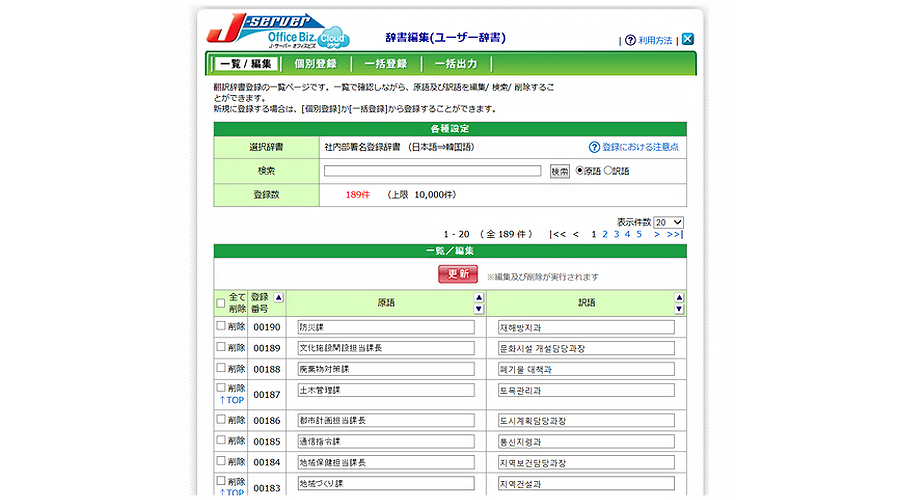
Dictionaries and translation memories you create can be customized for use by individual users or specific departments.
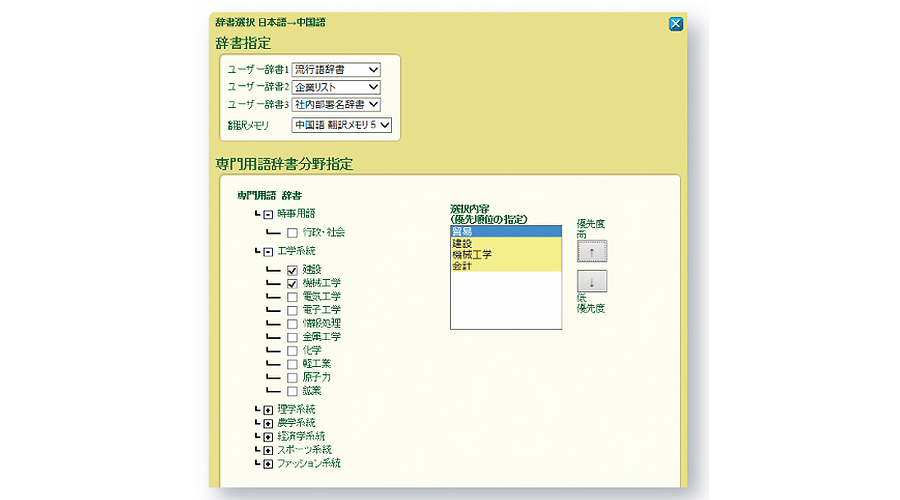
You can improve translation accuracy by selecting the most appropriate specialized terminology dictionary from a wide range of fields. Additionally, field selection can be configured on a per-user basis.
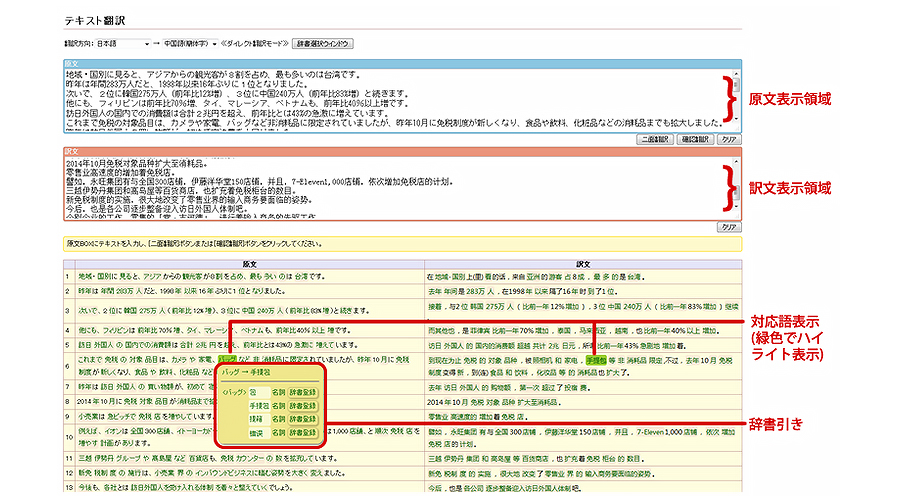
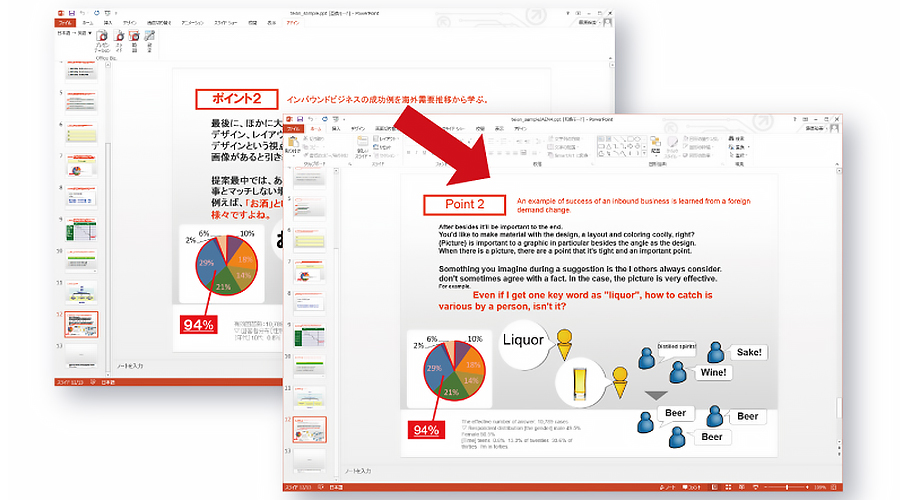
*You must install the add-in translation program on your PC.
[Supported Applications]
・Word (2007 and later)・Excel (2007 and later)・PowerPoint (2007 and later)
・Outlook (2007 and later)・Windows Live Mail
You can specify translation settings without opening the file, and the translated results can be downloaded in the same file format as the original.
[Supported Files]
・Text files (.txt) ・HTML files (.htm/.html)
・XML files (.xml)
*Depending on the type of PDF, some content may not be translatable, or the layout may not be preserved.
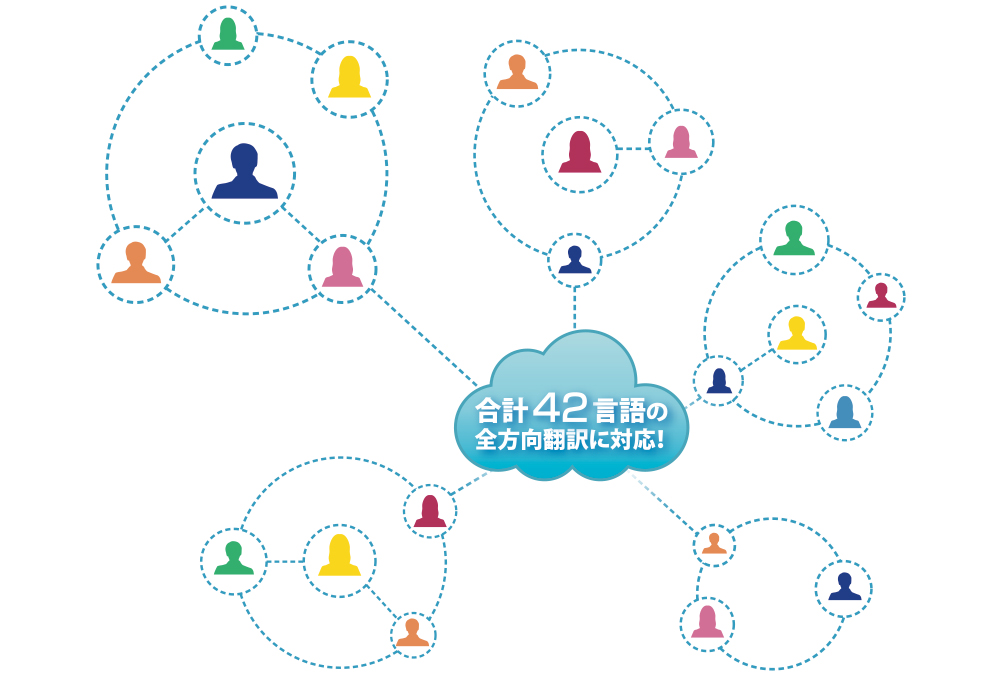
Supports the following 42 languages.








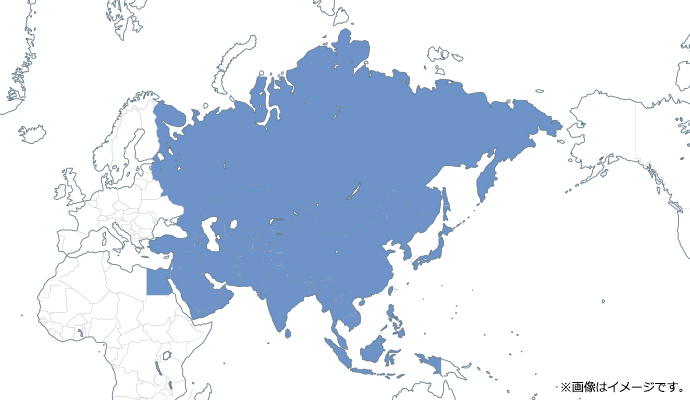
Languages of Asia and the Middle East
- Arabic
- Urdu
- Thai
- Vietnamese
- Indonesian
- Malay
- Russian
- Swedish
- Hindi
- Hebrew
- Persian
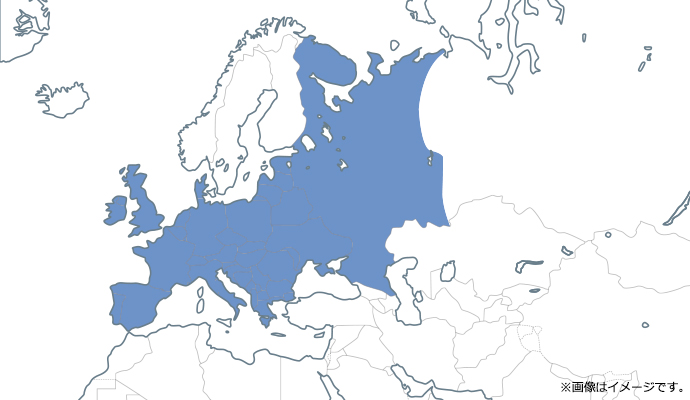
European Languages
- Welsh
- Ukrainian
- Estonian
- Dutch
- Catalan
- Greek
- Slovak
- Slovenian
- Czech
- Danish
- Turkish
- Norwegian
- Haitian
- Hungarian
- Finnish
- Bulgarian
- Polish
- Maltese
- Lithuanian
- Romanian
- Latvian
Translation Modes
|
Direct Translation Mode |
Pivot Translation Mode |
Cloud Translation Mode |
|---|---|---|
|
English-Japanese / Japanese-English
Simplified Chinese–Japanese / Japanese–Simplified Chinese Traditional Chinese–Japanese / Japanese–Traditional Chinese Korean-Japanese / Japanese-Korean |
English-Simplified Chinese / Simplified Chinese-English
English-Traditional Chinese/Traditional Chinese-English English-Korean / Korean-English Simplified Chinese-Korean / Korean-Simplified Chinese Traditional Chinese-Korean / Korean-Traditional Chinese |
Two-way translation between languages other than those in Direct Translation Mode and Pivot Translation Mode (translations other than those listed above)
|
Translation Features
| Item | Overview |
Direct Translation Mode |
Pivot Translation Mode |
Global Translation Mode |
|---|---|---|---|---|
|
Text Translation |
Translate text entered in the text box |
○ |
○ | ○ |
|
File Translation |
Translate a specified file / Download the translation results in the same file format as the original Supported Formats (TEXT , HTML , XML) |
○ |
○ | ○ |
|
PDF Translation |
Translate by selecting a file / Download the translation results in PDF format, just like the original file |
○ |
○ | × |
|
Office Add-in Translation |
Translate while using Microsoft Word, Excel, or PowerPoint |
○ |
○ | × |
|
Email Add-in Translation |
Translate while using your email client |
○ |
○ | × |
|
Web Translation (Optional) |
Translate web pages on the Internet |
○ |
○ | ○ |
Dictionary Features
| Item |
Overview
|
Direct Translation Mode | Pivot Translation Mode | Global Translation Mode |
|---|---|---|---|---|
|
User Dictionary |
Register customer-specific terms (technical terms, proper nouns, etc.) |
○ |
○ | ○ |
|
Translation Memory |
Register source and target texts for example sentences and standard phrases as pairs. |
○ |
○ | ○ |
|
Technical Terminology Dictionaries |
Includes specialized terminology dictionaries for various fields. English: 8 categories, 87 fields |
○ |
× | × |
System Requirements
| Item | Overview |
|---|---|
|
OS |
Windows 11/10/8.1/8/7 (64-bit and 32-bit versions) Japanese Edition *The latest Service Pack (SP) is recommended |
|
Browser |
Internet Explorer 11 (Windows 8.1 only) |
|
Required Software |
Microsoft Office 2007 or later |
We will provide a quote after consulting with you.
We will carefully listen to your requirements and objectives via phone, email, or in person. After understanding your needs, we will propose the optimal plan.
“The system is too complex—I don’t really understand it!” Even if you’re in this situation, please rest assured. We’re happy to consult with you on systems and technical matters, so please feel free to reach out. We’ll provide a quote after our consultation.
Pricing varies depending on the number of languages you require, website traffic, and other factors.
Closed on Saturdays, Sundays, and holidays.
Service activation is possible in as little as 10 business days.
Enjoy exploring new horizons in business.
 Product Catalog